Tutorial

Data science, power BI and python tutorial. Learn power bi and SQL for business intelligence and data science.  .

Exploratory Analysis of Loan Dataset using python
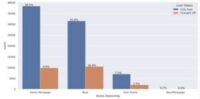
Data is a valuable asset for any organization, as it contains crucial information related to the business and its customers. However, processing large volumes of data manually can be time-consuming and impractical. With the increasing volume of data generated each day, it is necessary to find efficient ways to analyze and visualize this data. Here

Exploratory Analysis of Loan Dataset using python Read More »
Enhancing Data Visualization with On-Object Feature in Power BI

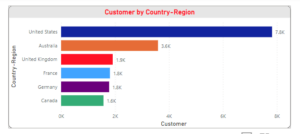
Microsoft Power BI introduced the on-object feature in Power BI Desktop (March 2023) for creating and customizing visuals directly on the object. This new feature provides new way to build and format your visuals directly on the visual. It makes the work of developer much easier and faster. For Now, Power BI released this feature

Enhancing Data Visualization with On-Object Feature in Power BI Read More »

Dynamic Greeting Message based on Time and Login Users using DAX in Power BI.

DAX (Data Analysis Expressions) is a formula language used for data modeling and analysis in Microsoft Power BI. Using DAX users can create powerful data models and complex calculations. DAX formulas can also contain variables, which are used to store intermediate results. Variables are defined using the VAR keyword, followed by the variable name and

Dynamic Greeting Message based on Time and Login Users using DAX in Power BI. Read More »

load data in power BI desktop

Power BI Desktop is the powerful business intelligence tool developed by Microsoft. It supports to connect multiple data sources, data modeling, data reshaping and transformation, interactive visualizations, and perform advanced data analytics. Power BI desktop version is free, users can download and use the application for free. However, for the full-functional web-based services, user license

load data in power BI desktop Read More »

Read Data from Excel and insert into SQL database using python

In this tutorial we are discussing how to insert data in database using python. First we need to established connection with Database using pyodbc library. Here we are going to insert data in MS SQL. install and import pyodbc and pandas library Establish the connection with Database. we required database credentials and server name. above

Read Data from Excel and insert into SQL database using python Read More »

Anaconda installation process in windows

Anaconda is an open-source and user friendly distribution of python or R programming for data processing, data analysis and Machine Learning. Multiple tools are available in anaconda distribution like spyder and jupyter notebbok. Thousands of python library and Packages are available in anaconda distribution. Steps to install anaconda on windows. Step 1: Go to anaconda

Anaconda installation process in windows Read More »

Scroll to Top